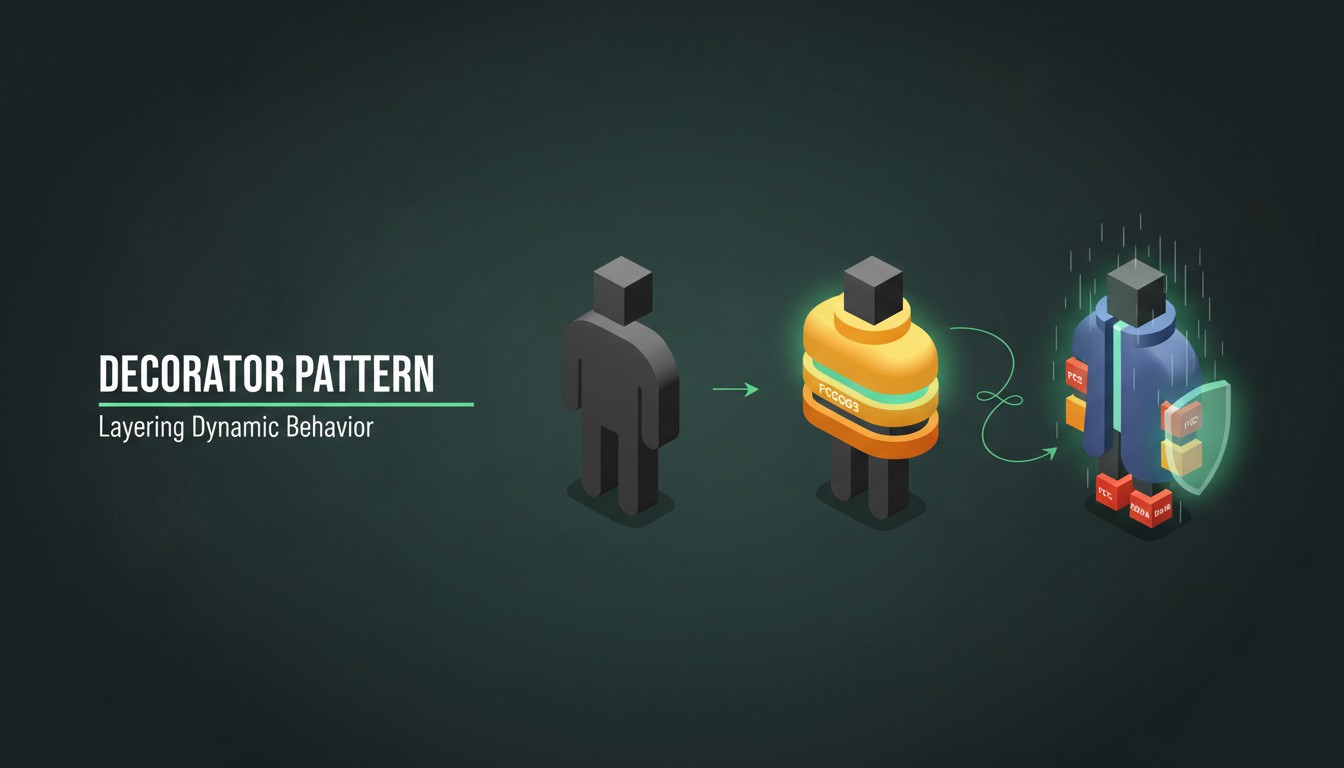
In software development, we often encounter the need to add extra functionality to objects in a way that’s flexible, reusable, and doesn’t clutter our code with endless subclasses. Enter the Decorator Design Pattern: a structural pattern that provides a clean way to “wrap” an object, adding behavior dynamically.
What is the Decorator Pattern?
The Decorator Pattern is a structural design pattern that allows behavior to be added to individual objects, dynamically and transparently, without affecting the behavior of other objects from the same class. This pattern achieves this by creating a set of decorator classes that are used to wrap concrete components.
In simpler terms, the Decorator Pattern lets you modify an object’s functionality at runtime by “wrapping” it with one or more decorator classes. This approach provides a flexible alternative to subclassing for extending behavior, allowing you to layer new features without creating a complex inheritance structure.
In this post, we’ll explore the inner workings of the Decorator pattern, examine real-world examples, and build a C# coffee shop simulation to see how this pattern can bring value to your codebase.
Why the Decorator Pattern?
When building scalable systems, we frequently need to modify or extend object behavior. The classic approach might involve creating subclasses for each new feature, but this can lead to a sprawling inheritance hierarchy that’s hard to manage and extend.
The Decorator pattern solves this by wrapping objects instead of subclassing them. Think of it like adding layers to a cake: each layer (or decorator) adds something unique while keeping the original cake intact.
Key Components of the Decorator Pattern
Component: The main interface or base class that defines the core functionality.
Concrete Component: A specific implementation of the component (e.g., a basic coffee).
Decorator: The abstract class that wraps around the component and allows subclasses to add new behaviors.
Concrete Decorators: The actual implementations of the decorator that add unique functionality.
Real-World Example: Coffee Shop
Imagine you own a coffee shop with a flexible menu: customers can order a basic coffee, then add extras like milk, sugar, or caramel. Instead of creating a separate subclass for each combination (e.g., CoffeeWithMilk, CoffeeWithMilkAndSugar), we use the Decorator pattern to dynamically add any combination of extras to a basic coffee.
This pattern lets us layer on any number of decorators without creating a complex web of subclasses.
Let’s Code: A Coffee Shop in C#
Let’s dive into code and build a basic coffee, then “decorate” it with our extra ingredients. Here’s the complete, documented C# implementation.
namespace DecoratorDesignPattern
{
public interface ICoffee
{
string GetDescription();
double GetCost();
}
}
namespace DecoratorDesignPattern
{
public class BasicCoffee : ICoffee
{
public string GetDescription() => "Basic Coffee";
public double GetCost() => 5.00;
}
}
namespace DecoratorDesignPattern
{
public abstract class CoffeeDecorator : ICoffee
{
protected ICoffee _coffee;
public CoffeeDecorator(ICoffee coffee)
{
_coffee = coffee;
}
public virtual string GetDescription() => _coffee.GetDescription();
public virtual double GetCost() => _coffee.GetCost();
}
}
namespace DecoratorDesignPattern
{
public class MilkDecorator : CoffeeDecorator
{
public MilkDecorator(ICoffee coffee) : base(coffee) { }
public override string GetDescription() => _coffee.GetDescription() + ", Milk";
public override double GetCost() => _coffee.GetCost() + 1.50;
}
}
namespace DecoratorDesignPattern
{
public class SugarDecorator : CoffeeDecorator
{
public SugarDecorator(ICoffee coffee) : base(coffee) { }
public override string GetDescription() => _coffee.GetDescription() + ", Sugar";
public override double GetCost() => _coffee.GetCost() + 0.50;
}
}
namespace DecoratorDesignPattern
{
public class CaramelDecorator : CoffeeDecorator
{
public CaramelDecorator(ICoffee coffee) : base(coffee) { }
public override string GetDescription() => _coffee.GetDescription() + ", Caramel";
public override double GetCost() => _coffee.GetCost() + 2.00;
}
}
namespace DecoratorDesignPattern
{
public class Program
{
public static void Main()
{
ICoffee coffee = new BasicCoffee();
Console.WriteLine($"{coffee.GetDescription()} : ${coffee.GetCost()}");
coffee = new MilkDecorator(coffee);
Console.WriteLine($"{coffee.GetDescription()} : ${coffee.GetCost()}");
coffee = new SugarDecorator(coffee);
Console.WriteLine($"{coffee.GetDescription()} : ${coffee.GetCost()}");
coffee = new CaramelDecorator(coffee);
Console.WriteLine($"{coffee.GetDescription()} : ${coffee.GetCost()}");
}
}
}namespace DecoratorDesignPattern
{
public interface ICoffee
{
string GetDescription();
double GetCost();
}
}
namespace DecoratorDesignPattern
{
public class BasicCoffee : ICoffee
{
public string GetDescription() => "Basic Coffee";
public double GetCost() => 5.00;
}
}
namespace DecoratorDesignPattern
{
public abstract class CoffeeDecorator : ICoffee
{
protected ICoffee _coffee;
public CoffeeDecorator(ICoffee coffee)
{
_coffee = coffee;
}
public virtual string GetDescription() => _coffee.GetDescription();
public virtual double GetCost() => _coffee.GetCost();
}
}
namespace DecoratorDesignPattern
{
public class MilkDecorator : CoffeeDecorator
{
public MilkDecorator(ICoffee coffee) : base(coffee) { }
public override string GetDescription() => _coffee.GetDescription() + ", Milk";
public override double GetCost() => _coffee.GetCost() + 1.50;
}
}
namespace DecoratorDesignPattern
{
public class SugarDecorator : CoffeeDecorator
{
public SugarDecorator(ICoffee coffee) : base(coffee) { }
public override string GetDescription() => _coffee.GetDescription() + ", Sugar";
public override double GetCost() => _coffee.GetCost() + 0.50;
}
}
namespace DecoratorDesignPattern
{
public class CaramelDecorator : CoffeeDecorator
{
public CaramelDecorator(ICoffee coffee) : base(coffee) { }
public override string GetDescription() => _coffee.GetDescription() + ", Caramel";
public override double GetCost() => _coffee.GetCost() + 2.00;
}
}
namespace DecoratorDesignPattern
{
public class Program
{
public static void Main()
{
ICoffee coffee = new BasicCoffee();
Console.WriteLine($"{coffee.GetDescription()} : ${coffee.GetCost()}");
coffee = new MilkDecorator(coffee);
Console.WriteLine($"{coffee.GetDescription()} : ${coffee.GetCost()}");
coffee = new SugarDecorator(coffee);
Console.WriteLine($"{coffee.GetDescription()} : ${coffee.GetCost()}");
coffee = new CaramelDecorator(coffee);
Console.WriteLine($"{coffee.GetDescription()} : ${coffee.GetCost()}");
}
}
}namespace DecoratorDesignPattern
{
public interface ICoffee
{
string GetDescription();
double GetCost();
}
}
namespace DecoratorDesignPattern
{
public class BasicCoffee : ICoffee
{
public string GetDescription() => "Basic Coffee";
public double GetCost() => 5.00;
}
}
namespace DecoratorDesignPattern
{
public abstract class CoffeeDecorator : ICoffee
{
protected ICoffee _coffee;
public CoffeeDecorator(ICoffee coffee)
{
_coffee = coffee;
}
public virtual string GetDescription() => _coffee.GetDescription();
public virtual double GetCost() => _coffee.GetCost();
}
}
namespace DecoratorDesignPattern
{
public class MilkDecorator : CoffeeDecorator
{
public MilkDecorator(ICoffee coffee) : base(coffee) { }
public override string GetDescription() => _coffee.GetDescription() + ", Milk";
public override double GetCost() => _coffee.GetCost() + 1.50;
}
}
namespace DecoratorDesignPattern
{
public class SugarDecorator : CoffeeDecorator
{
public SugarDecorator(ICoffee coffee) : base(coffee) { }
public override string GetDescription() => _coffee.GetDescription() + ", Sugar";
public override double GetCost() => _coffee.GetCost() + 0.50;
}
}
namespace DecoratorDesignPattern
{
public class CaramelDecorator : CoffeeDecorator
{
public CaramelDecorator(ICoffee coffee) : base(coffee) { }
public override string GetDescription() => _coffee.GetDescription() + ", Caramel";
public override double GetCost() => _coffee.GetCost() + 2.00;
}
}
namespace DecoratorDesignPattern
{
public class Program
{
public static void Main()
{
ICoffee coffee = new BasicCoffee();
Console.WriteLine($"{coffee.GetDescription()} : ${coffee.GetCost()}");
coffee = new MilkDecorator(coffee);
Console.WriteLine($"{coffee.GetDescription()} : ${coffee.GetCost()}");
coffee = new SugarDecorator(coffee);
Console.WriteLine($"{coffee.GetDescription()} : ${coffee.GetCost()}");
coffee = new CaramelDecorator(coffee);
Console.WriteLine($"{coffee.GetDescription()} : ${coffee.GetCost()}");
}
}
}namespace DecoratorDesignPattern
{
public interface ICoffee
{
string GetDescription();
double GetCost();
}
}
namespace DecoratorDesignPattern
{
public class BasicCoffee : ICoffee
{
public string GetDescription() => "Basic Coffee";
public double GetCost() => 5.00;
}
}
namespace DecoratorDesignPattern
{
public abstract class CoffeeDecorator : ICoffee
{
protected ICoffee _coffee;
public CoffeeDecorator(ICoffee coffee)
{
_coffee = coffee;
}
public virtual string GetDescription() => _coffee.GetDescription();
public virtual double GetCost() => _coffee.GetCost();
}
}
namespace DecoratorDesignPattern
{
public class MilkDecorator : CoffeeDecorator
{
public MilkDecorator(ICoffee coffee) : base(coffee) { }
public override string GetDescription() => _coffee.GetDescription() + ", Milk";
public override double GetCost() => _coffee.GetCost() + 1.50;
}
}
namespace DecoratorDesignPattern
{
public class SugarDecorator : CoffeeDecorator
{
public SugarDecorator(ICoffee coffee) : base(coffee) { }
public override string GetDescription() => _coffee.GetDescription() + ", Sugar";
public override double GetCost() => _coffee.GetCost() + 0.50;
}
}
namespace DecoratorDesignPattern
{
public class CaramelDecorator : CoffeeDecorator
{
public CaramelDecorator(ICoffee coffee) : base(coffee) { }
public override string GetDescription() => _coffee.GetDescription() + ", Caramel";
public override double GetCost() => _coffee.GetCost() + 2.00;
}
}
namespace DecoratorDesignPattern
{
public class Program
{
public static void Main()
{
ICoffee coffee = new BasicCoffee();
Console.WriteLine($"{coffee.GetDescription()} : ${coffee.GetCost()}");
coffee = new MilkDecorator(coffee);
Console.WriteLine($"{coffee.GetDescription()} : ${coffee.GetCost()}");
coffee = new SugarDecorator(coffee);
Console.WriteLine($"{coffee.GetDescription()} : ${coffee.GetCost()}");
coffee = new CaramelDecorator(coffee);
Console.WriteLine($"{coffee.GetDescription()} : ${coffee.GetCost()}");
}
}
}
Explanation of the Code
In this example:
BasicCoffee: Represents the plain coffee.
MilkDecorator, SugarDecorator, and CaramelDecorator: Add specific ingredients to the coffee, wrapping it and modifying both the description and cost.
Each decorator follows the Open/Closed Principle by extending the behavior of coffee without modifying the BasicCoffee class.
Running the Example
This will produce the following output:
Basic Coffee : $5.00
Basic Coffee, Milk : $6.50
Basic Coffee, Milk, Sugar : $7.00
Basic Coffee, Milk, Sugar, Caramel : $9.00
Basic Coffee : $5.00
Basic Coffee, Milk : $6.50
Basic Coffee, Milk, Sugar : $7.00
Basic Coffee, Milk, Sugar, Caramel : $9.00
Basic Coffee : $5.00
Basic Coffee, Milk : $6.50
Basic Coffee, Milk, Sugar : $7.00
Basic Coffee, Milk, Sugar, Caramel : $9.00
Basic Coffee : $5.00
Basic Coffee, Milk : $6.50
Basic Coffee, Milk, Sugar : $7.00
Basic Coffee, Milk, Sugar, Caramel : $9.00
As seen, each decorator enhances the coffee’s behavior, updating both its description and cost. The original coffee object remains intact, allowing for the addition of new decorators without affecting existing code.
When to Use the Decorator Pattern
Practical Use Cases
UI Components: Applying multiple effects (e.g., borders, shadows) to UI elements.
File Processing: Adding functionality like encryption, compression, and buffering to file streams.
Notifications: Sending a notification via multiple channels (e.g., email, SMS) by layering on decorators.
Advantages of the Decorator Pattern
Flexibility: Decorators can be added or removed dynamically.
Single Responsibility: Each decorator has a specific responsibility, keeping the code clean and manageable.
Reusability: Decorators are reusable across different components.
Disadvantages of the Decorator Pattern
Complexity: Excessive decorators can make debugging challenging.
Memory Usage: Each decorator instance adds a layer, which may impact performance in memory-constrained applications.
Wrapping Up
The Decorator Pattern is a powerful tool for any developer’s toolkit, especially when you need flexible, reusable solutions for adding behavior to objects. By using the Decorator pattern, you can maintain clean code while giving users customizable features.
Consider using it when you’re tempted to subclass excessively — sometimes, a little “wrapping” is all your object needs to be fully dressed up!